

Missing legally binding deadlines because a Notion database stayed silent is a catastrophic risk for any operations team. Notion's native Slack integration is strictly event-driven, meaning it only alerts you when a user actively edits a page, it completely ignores the passive passage of time. If a compliance date arrives, your database won't trigger a webhook. This forces teams into a fragile choice: rely on human memory to check the calendar, or build brittle workarounds that break silently. (Source: Common Mistakes in Date-Based Automations, 2026). The reality is that tracking critical renewals requires a system that polls chronologically, not just one that reacts to manual clicks. We'll cover why native alerts fail here and how to build a robust, zero-fail notification engine instead.
Why Notion Native Alerts Miss Critical Dates
Notion's architecture is incredibly powerful for event-driven workflows, but it has a massive blind spot: it cannot natively trigger actions based on the calendar alone. When you set up a native Slack integration, you are forced to choose triggers like "Page added" or "Property edited." If a contract expiration date simply arrives on a Tuesday, no property was actively edited that day, so no alert fires.
Experts consistently point out that this limitation creates significant operational anxiety for HR and IT teams managing renewals. (Source: Expert Opinion on Notion Automations, 2026). Without a built-in chron trigger, organizations are left blind to risks quietly approaching in their workspace.
This is why searching for a built-in notion alert software solution usually hits a dead end. Teams eventually realize they must push data out of Notion to evaluate chronological rules, which introduces the need for external middleware.
Workaround 1: Using Zapier for Date Triggers
Because Notion lacks a native chronological engine, the most common fallback is wiring up Zapier or Make.com. This involves setting up a scheduled workflow that checks your database daily to see if any dates match "today."
Setting up the Scheduled Trigger
To start, you configure a "Schedule by Zapier" trigger to run every morning at 8:00 AM. This provides the heartbeat that Notion lacks natively.
Filtering the Database
Next, you add a Notion "Find Database Item" step, filtering for records where your target date property exactly matches today's date. If you want to know how to set date reminders in notion using this method, you also need to ensure your timestamps are perfectly aligned in UTC to avoid off-by-one errors. Finally, you map the resulting fields into a Slack "Send Channel Message" action.
The Problem with Middleware: Silent Failures
While Zapier works in theory, it introduces a dangerous level of fragility into your operations. These tools rely on strict JSON payloads and hardcoded property IDs. If an admin renames a column from "Due Date" to "Deadline," the entire Zapier flow breaks instantly. Worse, it fails silently, you won't know the automation is broken until a critical deadline is already missed.
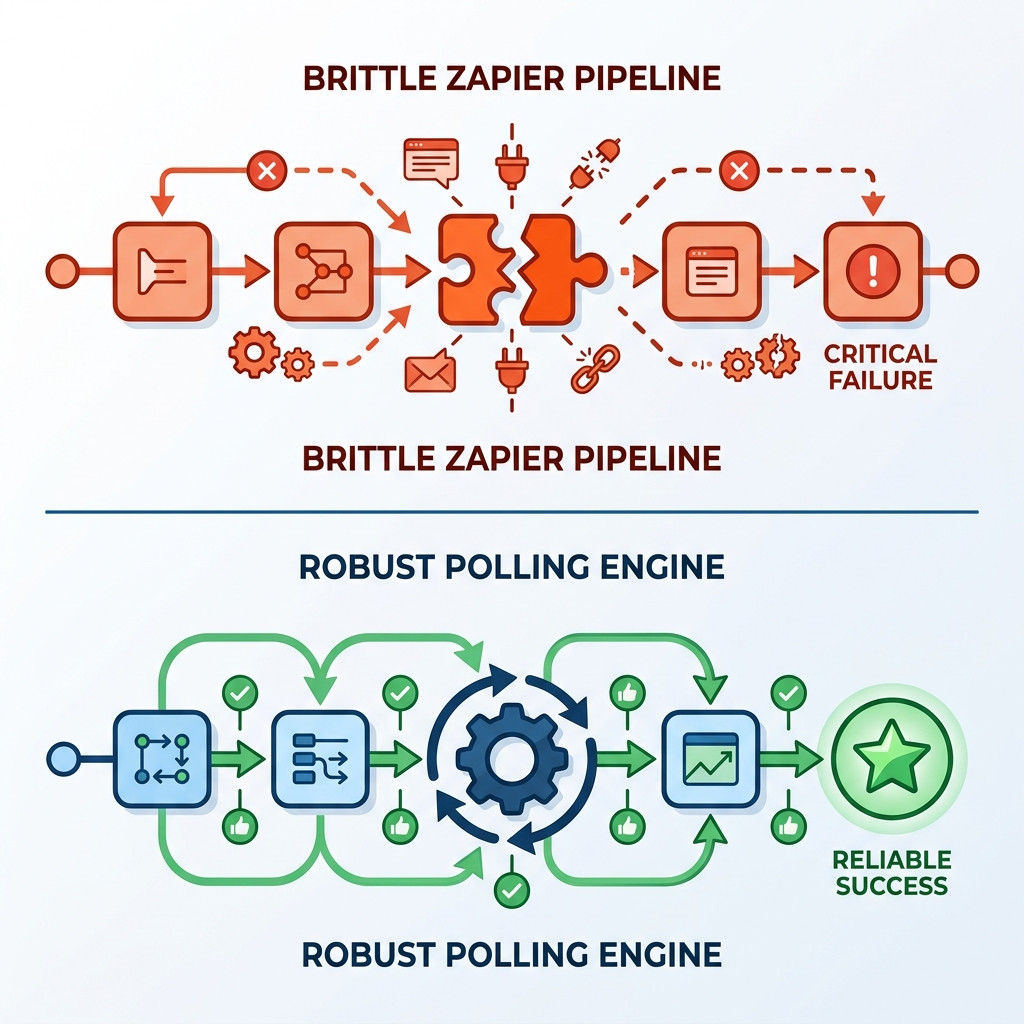
If you want to automate notion reminders without zapier, you need a deterministic solution built specifically for Notion's architecture. NotionReminder replaces these brittle integrations with a single-purpose chronological alerts engine. We poll your databases in the background, gracefully handling schema mutations, and deliver flawless alerts precisely when you need them.
Building a Zero-Fail Notification System
To secure your operational data, you must move away from complex middleware and implement a robust chronological polling engine. This ensures that notifications are triggered based purely on mathematical rules applied to your date properties.
Defining Dynamic Thresholds
A zero-fail system allows you to set precise, dynamic thresholds. Instead of just alerting on the exact day, you can configure rules to notify the team 30, 60, or 90 days before a contract renews. This proactive alerting gives your team the lead time necessary to negotiate terms or process compliance paperwork.
Idempotent Delivery
Equally important is idempotent delivery. A robust engine maintains an internal state ledger, guaranteeing that an alert for a specific database record and threshold is transmitted exactly once. This eliminates notification spam and ensures your Slack channels remain high-signal and actionable.
FAQ
How do I send a Slack notification based on a Notion date?
You cannot do this natively in Notion. You must use an external chronological polling engine or middleware like Zapier to check the dates daily and push the notification to Slack.
Can Notion send reminders to Slack without Zapier?
Yes, but only for event-driven actions (like a page edit). For date-based reminders without Zapier, you need a dedicated polling tool like NotionReminder.
Does this use my Notion AI credits?
No. Using a deterministic polling engine relies on standard API access, avoiding the unpredictable costs associated with Notion AI custom agents.
Secure Your Deadlines Today
Missing a critical renewal date because of a silent database or a broken Zapier flow is an unforced error. Your time-sensitive Notion databases require a deterministic alerting infrastructure that you can trust completely. Stop relying on your memory or fragile workarounds to track legally binding deadlines.
Explore how NotionReminder guarantees your compliance deadlines are met.
