

Notion is an incredibly powerful operational hub, but it has a hidden, dangerous flaw for HR directors and operations managers: it cannot trigger external alerts based purely on the passage of time. When you rely on Notion to manage legally binding visas, SSL certificates, or SaaS renewals, an unedited database stays completely silent when a deadline simply arrives on the calendar. This forces organizations into fragile workarounds that fail silently, exposing them to catastrophic financial and legal risks. In this guide, we'll cover how you can move beyond brittle integrations and implement a deterministic chronological alert system.
The Problem with Native Notion Deadlines
The core issue with Notion's native database automations is that they are strictly event-driven. They only trigger when a specific action occurs—like a user checking a box or editing a status property.
As a recent review of Notion’s internal notification capabilities highlighted, while you can set database automations to notify up to 20 users upon a status change, these triggers fundamentally cannot fire based on a time threshold alone (Source: Substack Notion Update, 2026). If a contract expiration date approaches and no one manually edits the page to trigger an update, no webhook fires.
This limitation forces teams to rely on ad-hoc @remind commands, which only provide in-app push notifications rather than multi-channel alerts routing directly to the responsible Account Executive or IT manager. When you're managing dozens of renewals, this lack of automated push is not just an inconvenience; it's a liability.
Why Typical Automation Tools Fall Short
To bridge the gap, many teams turn to popular middleware to automate Notion reminders without Zapier or similar tools breaking down. However, using generic automation platforms introduces its own set of critical vulnerabilities.
The Brittleness of Zapier and Make
A common mistake when setting up alerts and notifications in Notion is assuming standard automations can handle time-based polling efficiently (Source: SourceForge Incident Management, 2026). Tools like Zapier rely on strict JSON payloads that map to exact column names in your Notion database.
If a well-meaning team member renames "Renewal Date" to "Next Renewal" or changes a property type, the integration silently breaks. You won't receive an error message; the system simply stops executing, leaving you blind to approaching deadlines. Furthermore, chaining multiple automations together can cause them to fail if they require tight timing windows.
The Hidden Costs of Notion AI
With the recent shift toward AI agent orchestration, some teams attempt to use costly AI agents to review databases daily and identify expired dates (Source: InfoWorld Notion Update, 2026). While conceptually interesting, this is an expensive misapplication of generative AI. You end up wasting unpredictable, expensive Notion Credits on an LLM just to have it check if a Boolean date has passed.
A Better Way: Deterministic Chronological Alerts
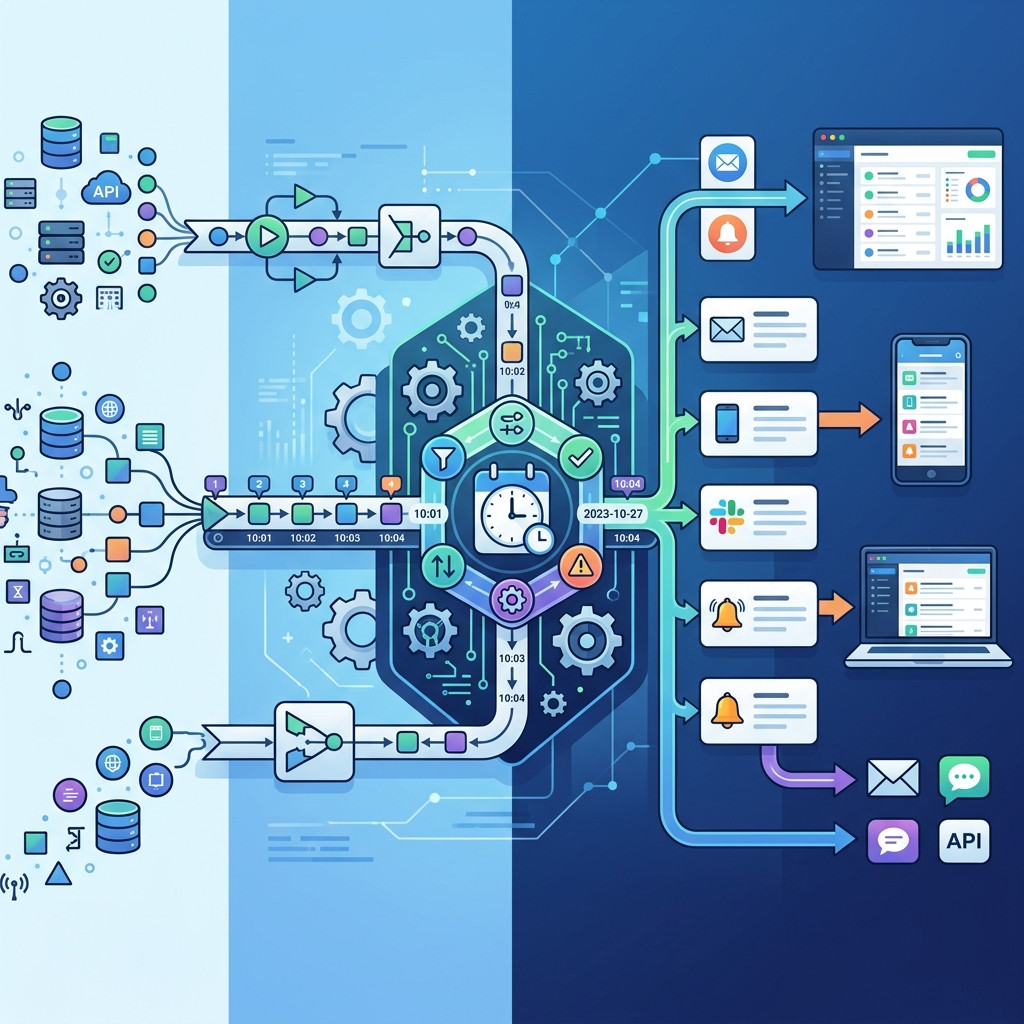
The most robust solution to this problem is using a purpose-built Notion alert software that replaces brittle integrations with a deterministic chronological engine. Instead of waiting for an event trigger or parsing complex Zapier strings, a dedicated engine polls your databases in the background.
This is exactly why we built NotionReminder. NotionReminder is a single-purpose chronological polling engine that handles Notion's passive date properties deterministically. It allows you to set dynamic mathematical thresholds—like exactly 30 days before a compliance deadline—and delivers beautiful, multi-channel HTML emails and Slack Block Kit messages. Unlike generic middleware, our intelligent system automatically detects manual data mutations and seamlessly resets the internal alert ledger, readying the system to trigger cleanly without breaking on schema changes.
How to Implement Reliable Notion Slack Notification Dates
Setting up a reliable notification pipeline requires moving away from event-driven triggers and adopting a state-based approach.
Step 1: Define Your Thresholds
Go beyond native reminders by establishing exact rules for your team. Determine whether you need to be alerted 90, 60, or 30 days before an event.
Step 2: Configure Rich Dispatch
Stop parsing ugly JSON data. Map your Notion properties directly into formatted templates so the resulting Slack or email message contains instant context for the recipient.
Step 3: Ensure Idempotent Delivery
Your system must have an immutable internal state ledger to guarantee that an alert for a specific database record is transmitted exactly once, ending notification spam forever.
Frequently Asked Questions
How do I set date reminders in Notion without them failing?
For true reliability, avoid native database automations for time-based triggers. Instead, use a deterministic polling engine like NotionReminder that checks your dates in the background and sends rich external alerts based on dynamic thresholds.
Is NotionReminder vulnerable to database changes like Zapier?
No. Unlike Zapier, which relies on strict JSON payloads that break if a column is renamed, NotionReminder elegantly handles standard schema adjustments without silently failing.
Will this use up my Notion AI Credits?
Absolutely not. Using a deterministic chronological engine saves you from the unpredictable, token-based consumption costs associated with running custom AI agents for simple background polling tasks.
Secure Your Notion Deadlines
Time is the one variable you can't control, but it's the one you must track to secure 100% compliance. If you're relying on your memory or brittle Zaps for mission-critical renewals, you are taking an unnecessary risk.
Secure your operational data today and stop bleeding budget on auto-renewals. Try our Hobby Tier completely free, and upgrade to our predictable flat-rate professional plans only when your volume demands it.
