

Missing a legally binding SaaS renewal or employee visa deadline because a Notion database stayed silent is a catastrophic failure that costs real budget. As an IT Operations Manager or HR Director, your operational autonomy relies on systems that warn you before deadlines arrive, not systems that wait for you to check them. As of mid-2026, Notion's primary methods for managing deadline alerts remain @remind tags and manual database properties (Source: 2sync, 2026). While these built-in tools are great for personal task management, they lack the persistent reliability required for mission-critical enterprise workflows.
Your procurement and compliance pipelines cannot rely on internal app notifications that might be hidden by a simple mobile OS update. When an expiring SSL certificate threatens a service outage, or an auto-renewing contract threatens your quarterly budget, you need deterministic, zero-fail alerts. This ultimate guide walks you through setting up native Notion reminders and explains how to upgrade your workspace into a truly automated, chronological alerts engine.
The Basics: How To Set Date Reminders In Notion Natively
Notion provides a few built-in methods to help you stay on top of your schedule. Understanding how these work is the first step toward effective database management, even if you eventually outgrow them.
Using Inline @Remind Tags
For quick, one-off alerts scattered across your workspace, inline tags are the fastest option. Type @remind followed by a date or time directly on any page. A blue tag will appear, which you can click to customize the exact time, timezone, and advance notice period. The tag automatically turns red when the date is reached or becomes overdue. This is highly effective for individual note-taking but fails to scale when tracking hundreds of dynamic vendor renewals.
Configuring Database Date Properties
When managing structured projects, you will rely on your database's Date property. Click into the Date property field for a specific database item, and toggle the Remind option in the calendar pop-up. You can configure it to alert you on the day of the event or a few days prior. Expert best practice is to set a "blanket reminder" for the entire Date property to save manual toggling on each entry (Source: Notioneers, 2026). This ensures that any new item added to the database inherits the default notification settings.
Enabling Notification Settings
Setting a date reminder in Notion means nothing if your notification delivery is misconfigured. You must verify that your preferences are enabled under the Settings & Members menu. Notion pushes alerts to your sidebar Inbox, and if configured correctly, to your desktop or mobile device. However, relying on push notifications introduces risk; if your phone is in Battery Saver mode, mobile notifications may be suppressed entirely.
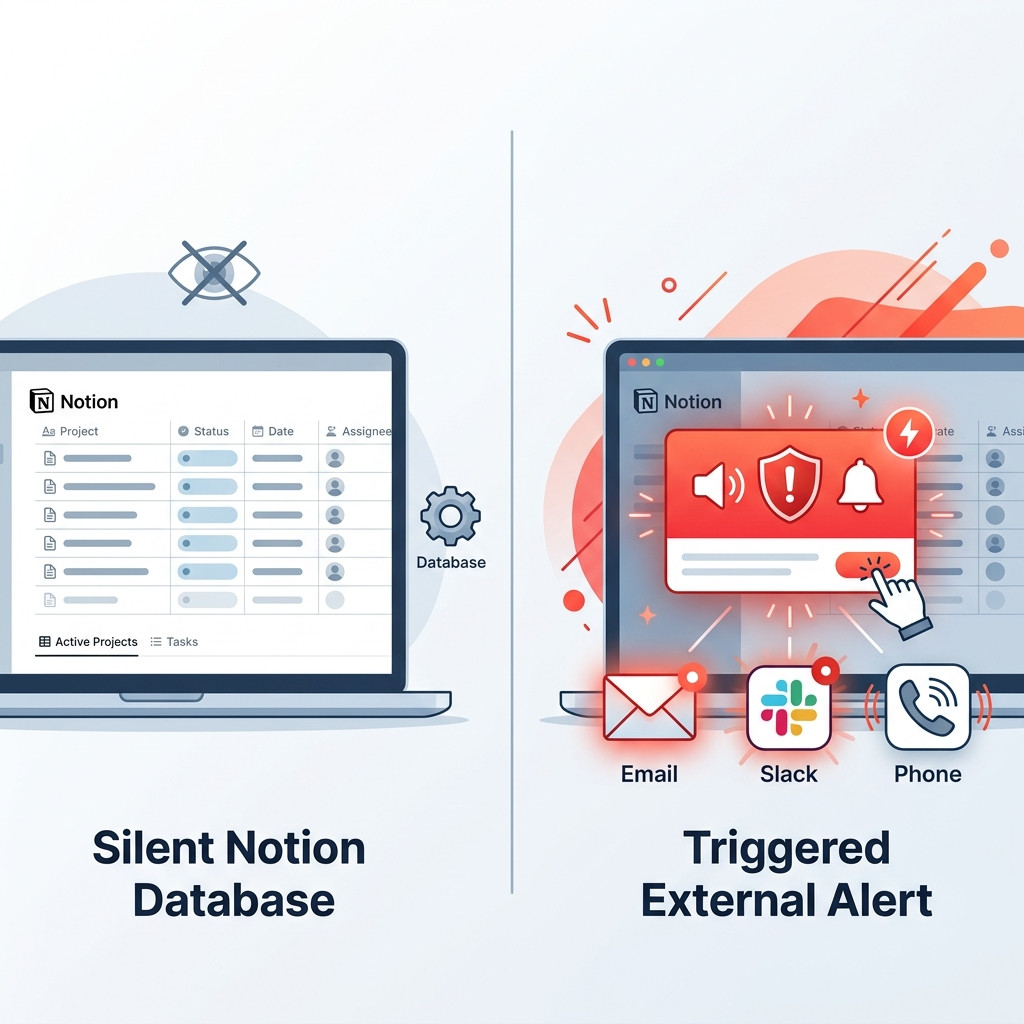
The Hidden Flaw: Why Native Notion Reminders Fail Operations Teams
Notion is an incredibly powerful operational hub, but it has a hidden, dangerous flaw: it cannot trigger external alerts based on the passive passage of time. Because Notion's native automations are strictly event-driven, your database stays completely silent when a critical deadline simply arrives on the calendar. Unless a user actively edits a page, no webhooks are fired.
This architectural limitation creates massive blind spots for operations teams. A database tracking employee visas or compliance certifications requires alerts based on impending expiration dates, not active data entry. Over-relying on Notion's native alerts is a common mistake; they aren't "persistent" and are easily missed unless bridged with tools like Slack (Source: Reddit, 2026). When a native Notion reminder triggers, it generates a passive notification badge. It does not actively page the responsible Account Executive in their primary communication channel.
Furthermore, Notion's internal alerting system lacks redundancy. If an IT Manager clears their Notion Inbox too quickly, the reminder of an impending SaaS renewal is lost forever. Operations teams need aggressive, multi-channel dispatch that guarantees delivery, rather than passive internal badges that demand constant monitoring.
Brittle Workarounds: Zapier Flows And Expensive AI Agents
When operations teams realize native reminders are insufficient, they typically turn to complex workarounds. The most common approach is attempting to automate Notion reminders without Zapier or Make.com, only to discover how difficult it is to build reliable chron-jobs.
Building Zapier flows to monitor Notion date properties introduces severe fragility. Zapier relies on strict JSON payloads. If a well-meaning team member renames the "Renewal Date" column to "Contract End," the entire Zapier flow breaks silently. The integration will stop functioning, no error message will reach the procurement officer, and the auto-renewal will trigger, bleeding budget. Maintaining these intricate webhooks becomes a full-time job for RevOps teams who should be focusing on strategy, not middleware triage.
Another modern workaround involves using custom AI agents. Some teams deploy Notion AI to periodically read databases and summarize upcoming deadlines. This forces organizations into wasting unpredictable, expensive Notion Credits on generative AI just to have an LLM check if a Boolean date has passed. Using a sophisticated language model for basic chronological polling is an enormous waste of resources and budget. Neither brittle middleware nor expensive AI provides the zero-fail reliability required for mission-critical deadline tracking.
How To Automate Notion Reminders Without Zapier
To secure your compliance and procurement pipelines, you must abandon fragile workarounds and adopt a deterministic approach. NotionReminder is the deterministic chronological alerts engine built to solve this exact architectural flaw. It acts as a single-purpose polling engine that safely monitors your Notion databases and dispatches guaranteed alerts exactly when you need them, without relying on Zapier or Notion AI credits.
Dynamic Chronological Thresholds
True operational autonomy requires flexible alerting rules. Instead of settling for native reminders, set exact mathematical rules across your entire database and configure your workspace to alert your team precisely 90, 60, or 30 days before a compliance deadline. Our intelligent system automatically detects manual data mutations and seamlessly resets the internal alert ledger, readying the system to trigger cleanly again when the new deadline approaches.
Multi-Channel Rich Dispatch To Slack
Stop parsing ugly JSON data and missing internal app badges. You can dynamically translate your Notion database properties into beautifully formatted Slack Block Kit messages. Route these alerts directly to the specific @mentioned Account Executive or IT manager. The flawless idempotent delivery ledger guarantees that an alert for a specific database record and time threshold is transmitted exactly once, ending notification spam forever.
Frequently Asked Questions
How do you trigger a Notion reminder from a formula?
Notion cannot natively trigger a reminder from a formula result. Reminders must be attached directly to an actual Date property. To trigger an alert based on a calculated formula date, you must use an external chronological polling engine like NotionReminder.
Can I send Notion reminders to Slack natively?
While Notion offers basic Slack integrations for page updates, it does not natively push chronological date reminders to Slack channels. You need a dedicated integration to route time-based alerts to specific Slack users.
How do I set a recurring reminder in Notion?
Notion does not have a native recurring reminder feature. The best practice is to use Database Templates with pre-set date configurations, generating a new task with the reminder logic already baked in.
Conclusion
Time is the one variable you cannot control, but it is the one you absolutely must track. Continuing to rely on Notion's internal, passive notifications for mission-critical deadlines leaves your organization exposed to severe financial and legal risks. Your team needs deterministic infrastructure that actively pushes alerts to your communication channels when it matters most.
Stop bleeding budget on accidental auto-renewals and brittle Zapier integrations. Secure your operational data with guaranteed chronological alerts. Get your first free alert with our Hobby Tier today.
