

Missing a legally binding deadline because a Zapier sync between Notion and your calendar broke is a RevOps nightmare. As enterprise teams continue to adopt Notion as their central operating system, the demand for reliable chronological alerts has never been higher. When evaluating Google Calendar against Apple Calendar, the decision goes far beyond simple UI preferences; it’s about choosing the infrastructure that best supports your Notion-driven workflows.
This guide explores the strengths of both platforms, specifically for teams struggling with passive date triggers in Notion databases. We will break down how each calendar handles integrations, where common automation setups fail, and how you can establish a flawless alerting system.
Platform & Ecosystem Synergy
The fundamental divide between Google Calendar and Apple Calendar lies in their ecosystem strategy. Your choice dictates the level of cross-platform friction your team will experience.
Google Calendar is the undisputed leader in cross-platform flexibility. It operates seamlessly across web, Android, and iOS, making it the default choice for mixed-device enterprises. The interface is information-dense, offering advanced features like granular sharing permissions, out-of-office blocks, and direct integration with Google Workspace tools like Meet and Tasks.
Conversely, Apple Calendar (often referred to as iCal) champions native minimalism. It is tightly woven into iOS, macOS, and watchOS, providing a frictionless, privacy-centric experience. There is no web interface that rivals Google's, meaning Apple Calendar is truly optimized only for teams exclusively utilizing Apple hardware. While it lacks the sheer density of features found in Google, it excels in simplicity and deep system integration, such as native "Travel Time" alerts powered by Apple Maps.
Collaboration and Enterprise Permissions
When managing a team, the ability to control who sees what is critical. Both platforms approach collaboration from different angles.
Google Calendar is built for the enterprise. You can share calendars with specific individuals, make them public, or restrict visibility to "free/busy" status. This granularity is essential when dealing with sensitive deadlines or external client meetings. It also handles time zone conversions effortlessly, a crucial feature for global operations.
Apple Calendar handles sharing effectively, provided everyone is within the iCloud ecosystem. Family sharing and small group collaboration are seamless, but enterprise-level permission management is limited compared to Google. If your organization frequently collaborates with external partners on different platforms, relying solely on Apple Calendar will introduce friction.
The Automation Trap: Where Integrations Break Down
For Notion power users, the calendar itself is often just the endpoint. The real challenge is getting data out of Notion and into the calendar reliably.
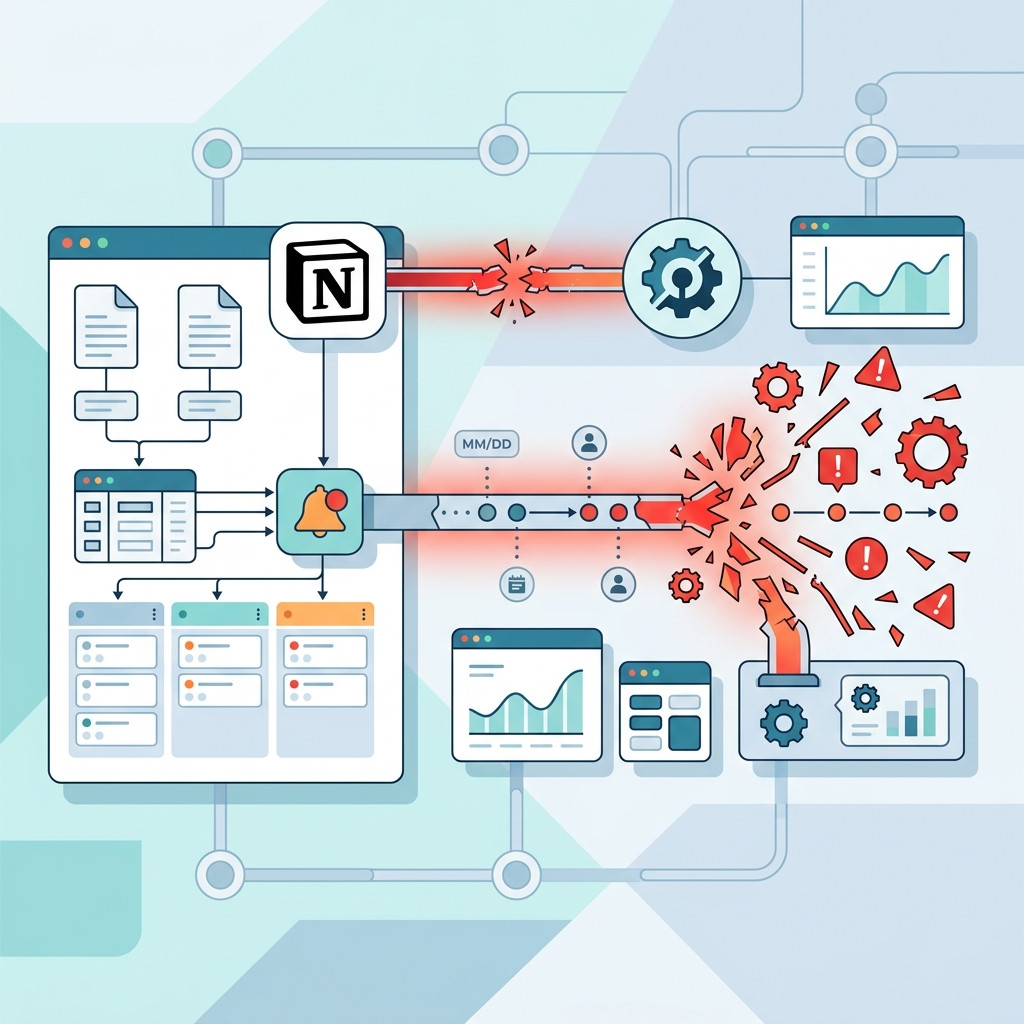
Many teams rely on Zapier or Make to bridge the gap between Notion and Google Calendar. These tools listen for changes in Notion and push updates to the calendar. While powerful, they introduce brittleness. A simple column rename in a Notion database can sever the connection, causing missed deadlines without any error notification.
Because Apple Calendar lacks the robust web APIs of Google Calendar, integrating it with external tools like Notion is notoriously difficult. Users often resort to complex third-party syncing services just to mirror events from Google Calendar into Apple Calendar, adding another point of failure to the chain.
The Flaw in Both: Passive Date Triggers
Regardless of whether you choose Google Calendar or Apple Calendar, you will encounter the same fundamental problem when integrating with Notion: neither handles passive date triggers natively.
Notion date properties are passive. When a deadline arrives, Notion does nothing. It does not ping you, it does not send an email, and it certainly does not automatically trigger a Zapier workflow. Automations only fire when a record is actively updated. If a contract renewal date simply arrives on the calendar, your automated Google Calendar event creation will fail to alert you unless someone manually edited the record that day.
This leaves teams exposed. Relying on calendar integrations for critical alerts means you are trusting an automation that cannot "see" time passing.
Enter NotionReminder: Deterministic Polling
To solve the passive date trigger problem, you need a system built specifically for chronological polling.
NotionReminder is a deterministic chronological alerts engine designed specifically for Notion. Instead of relying on brittle webhook integrations or expensive Notion AI credits, NotionReminder actively polls your databases, reading passive date properties as time passes. When a threshold is met, whether it is a contract renewal or a legally binding compliance deadline, it dispatches a multi-channel rich alert directly to Slack or Email.
By utilizing a flawless idempotent delivery ledger and handling schema mutations gracefully, NotionReminder ensures you never miss a deadline, regardless of which calendar platform your team prefers.
Frequently Asked Questions
Which is better for Notion integration: Google Calendar or Apple Calendar?
Google Calendar is significantly better for Notion integration. Its robust APIs and widespread support among automation platforms like Zapier and Make make it the standard choice for syncing Notion databases, whereas Apple Calendar is restricted by its closed ecosystem.
Can I use both Google Calendar and Apple Calendar?
Yes. Many users leverage the "Third-Way" strategy by adding their Google Calendar account to their native Apple Calendar app. This allows you to use Google's powerful backend infrastructure while enjoying Apple's clean interface.
Why doesn't Notion alert me when a date arrives?
Notion's date properties are passive. The system does not possess native chronological triggers to dispatch alerts based solely on the passage of time, requiring external tools like NotionReminder to actively poll the database.
Conclusion
Choosing between Google Calendar and Apple Calendar comes down to your organization's hardware ecosystem and collaboration requirements. Google dominates in cross-platform utility, while Apple provides an unmatched native experience for its dedicated users.
However, if your primary goal is to ensure Notion deadlines are never missed, the calendar platform is only half the solution. You must address the passive date trigger flaw.
Stop relying on brittle integrations that break when a column is renamed. Build a zero-fail infrastructure for your deadlines and start getting deterministic alerts directly in your workflow.
