

Notion is an incredibly powerful operational hub, but it has a hidden, dangerous flaw when it comes to time management: unless someone actively edits a page, critical compliance deadlines can quietly slip by without a single alert. Because Notion’s native automations are strictly event-driven, your database stays completely silent when a legally binding visa expiration or a massive SaaS auto-renewal simply arrives on the calendar. Recent Notion updates have added basic database triggers, but they still lack the critical capability for true time-based polling (Source: Notion Updates, 2026). Without a system that reliably polls for chronological thresholds, like 90, 60, or 30 days before an expiration date, you are left with operational anxiety, blind to the catastrophic financial and legal risks quietly approaching in your workspace. This guide explores the most effective ways to automate those notifications and explains why you need absolute certainty for your operational deadlines.
The Problem with Zapier for Notion Deadlines
Many teams try to solve Notion's passive date problem by turning to Zapier or similar middleware. These platforms are designed to listen for webhooks and execute step-by-step actions, but they fundamentally misunderstand the nature of a chronological deadline. A deadline is not an event that fires a webhook; it is simply a date sitting quietly in a cell until it becomes the present.
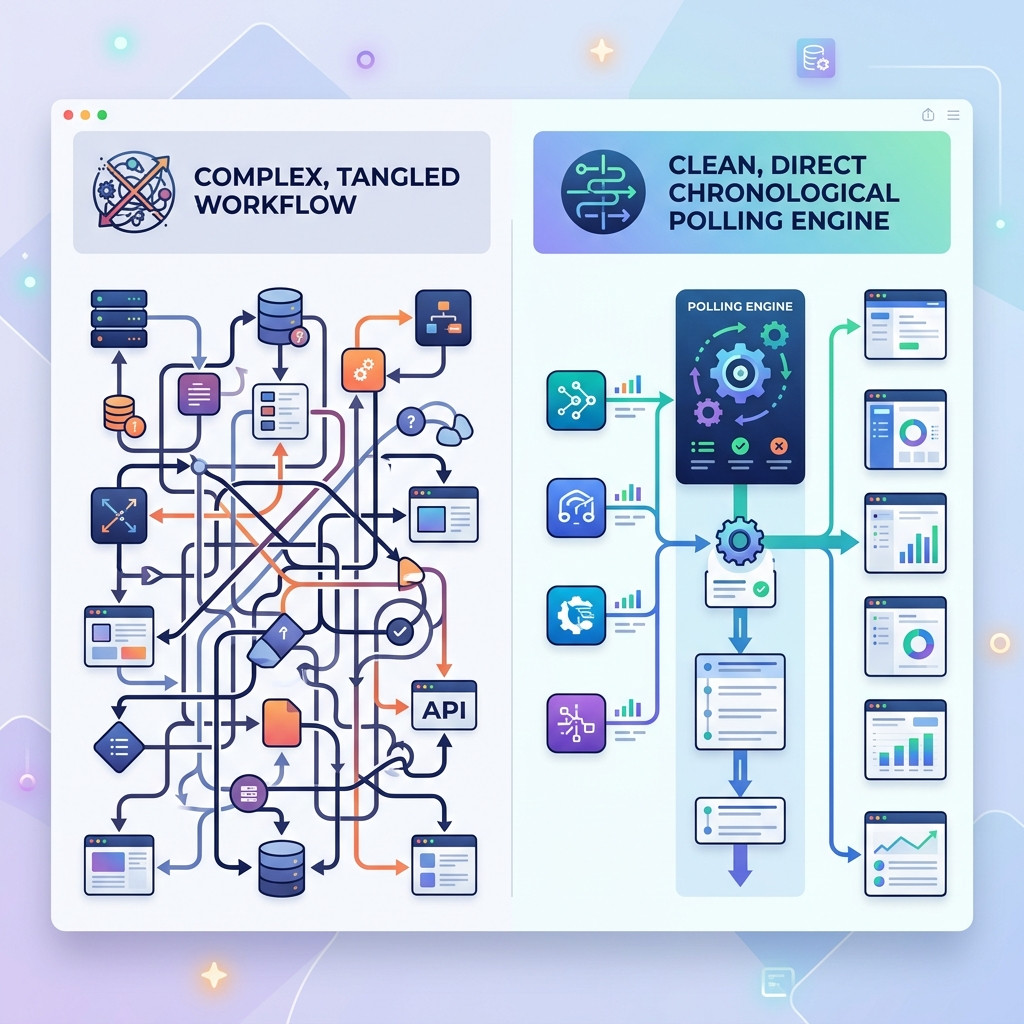
To force Zapier into acting as a chronological polling engine, you have to build complex, multi-step workflows that periodically search databases, compare dates, and format the output. This approach is notoriously fragile. One of the most common mistakes operators make is relying on Zapier for legal compliance deadlines, which often silently fail if a database schema changes or a column is renamed (Source: Reddit, 2026). Zapier expects a strict JSON payload, and any deviation in Notion's flexible database structure can bring the entire notification pipeline to a halt without triggering an error alert.
When you are tracking high-stakes items like Enterprise HR renewals, IT Operations certificates, or RevOps contracts, silent failures are unacceptable. When a Zap breaks because a workspace admin tweaked a view, the team simply stops receiving alerts, bleeding budget on auto-renewals they never knew were approaching. If you want to know notion vs zapier for alerts, the reality is that general-purpose middleware was never designed for the uncompromising reliability required by chronological compliance tracking.
Option 1: Native Notion Database Automations
If you want to keep everything internal, Notion's native database automations are the first place to look. These built-in tools allow you to create straightforward rules directly within a database by clicking the lightning bolt icon.
You can set triggers based on property changes, such as when a status shifts from "In Progress" to "Done", to automatically send an in-app notification to a specific team member or update another property. For basic, internal task management where users are actively checking boxes, these automations are highly effective and require zero third-party integrations.
However, if you are looking into how to set date reminders in notion, you will quickly discover their limitations. Native automations are strictly event-driven. They cannot execute a rule simply because a specific date has arrived or is approaching. They do not natively support complex, time-based polling like "send an alert 14 days before this contract renews" unless a user manually edits or triggers the item. For mission-critical external alerts, native automations leave you reliant on human memory.
Option 2: Alternative Middleware (Make and Relay.app)
Recognizing Zapier's limitations, some teams pivot to alternative no-code platforms like Make (formerly Integromat) or Relay.app. These platforms often boast cleaner visual builders and more robust integration capabilities.
Make, in particular, allows for more complex logical branching and can run scheduled "scenarios" that actively poll a Notion database for upcoming dates. It can retrieve the data, format it, and push an alert to Slack or email. Relay.app offers a similarly streamlined experience with a focus on deep, efficient Notion integrations.
While these tools provide better structural flexibility than Zapier, they still suffer from the same fundamental flaw: they are generalist platforms. They are not purpose-built for chronological alerting, meaning you still have to construct, test, and maintain the polling logic yourself. They remain vulnerable to schema mutations and require ongoing maintenance to ensure that critical alerts are dispatched flawlessly.
Option 3: A Dedicated Chronological Alerts Engine
For teams managing high-stakes operational data, the most reliable solution is a dedicated chronological alerts engine. Instead of cobbling together a polling system on a generalist platform, you need a tool designed specifically for Notion's architecture that understands the passage of time deterministically.
Purpose-built utilities for deadline management consistently outperform generalist platforms because they do not break when columns are renamed or views are adjusted (Source: NotionReminder, 2026). An effective engine monitors your databases in the background, entirely unbothered by schema changes, and focuses on one single task: delivering flawless notifications exactly when a date threshold is met.
If you are looking for reliable notion alert software, NotionReminder replaces brittle integrations with deterministic infrastructure. It provides dynamic chronological thresholds, allowing you to set rules like "90 days before Expiration Date", and uses a flawless idempotent delivery ledger to ensure that an alert for a specific record is transmitted exactly once. Instead of parsing ugly JSON data, NotionReminder dynamically translates your database properties into beautifully formatted HTML emails and Slack Block Kit messages, routing them directly to the specific @mentioned account owner.
FAQ
How to automate Notion reminders without Zapier?
The most reliable way is to use a purpose-built chronological engine like NotionReminder that directly integrates with Notion via OAuth. It polls your databases in the background and delivers formatted alerts to Slack or Email based on exact date thresholds without relying on fragile webhooks.
Can Notion send automated emails without third-party tools?
Notion's native automations primarily send in-app notifications and cannot natively trigger external emails based solely on a date arriving. To dispatch an email based on a specific date, you must use a dedicated third-party polling tool.
Will Notion AI credits be consumed by background alerts?
No. Using a deterministic API polling engine like NotionReminder saves you from the unpredictable, token-based consumption costs associated with running Notion Custom AI Agents for simple background tasks.
Secure Your Notion Deadlines
Time is the one variable you cannot control, but it is the one you must track. Relying on fragile, generalized automation tools or human memory for mission-critical renewals and compliance tracking is an unacceptable risk for modern operations teams. You need an infrastructure that delivers absolute certainty.
Try our Hobby Tier completely free, and upgrade to our predictable flat-rate professional plans only when your volume demands it.
